COMING SOON:
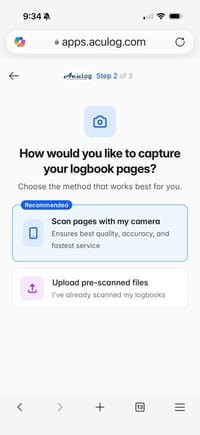
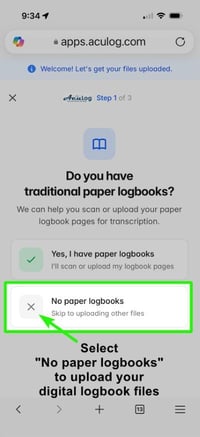
This upload page will be phased out in the very near future. All customers will eventually be directed to our Client Portal App for all file submissions. The Client Portal is live for our conversion customers and coming soon for audit customers—thank you for your patience as we roll out this new app! Please avoid emailing files to our support team.
Conversion Customers
(Paper Logbooks/Custom Projects)
Please visit our Client Portal App to start an account. You can then scan and/or upload all applicable files directly to our team within our app. No need to download separate scanning apps.
https://apps.aculog.com/convert
Digital Logbook Audit Customers
AcuLog recommends generating the following reports:
1) PDF Logbook Printout, a Jeppesen-style layout, or comparable format. LogTen Pro users: please print Jeppesen Pro 27. ForeFlight users: generate the 2-page Logbook Report.
2) PDF Flight Time Summary, such as an Experience Report (ForeFlight), Time by Type, Airline Application Report, or equivalent summary from other logbook programs.

Please upload your Digital Logbook-generated reports in our file upload form here.
Mon - Fri: 9am - 4pm (CST)
Saturday: Closed
Sunday: Closed